


GEICO Mobile - Car Insurance
4.5138.53K Reviews
App Specs
- Version
- 5.108.1
- Updated On
- License
- Free
- Downloads
- 10,000,000+
- Developer
- GEICO Insurance
- Categories
- Finance
- Platform
- Android, iOS
Screenshots
 Analysis by AppCompare
When I first downloaded the GEICO Mobile - Car Insurance app, I was expecting the usual insurance app experience: a bit clunky, not very user-friendly, and something I'd rather avoid unless I really had to use it. But, let me tell you, I was pleasantly surprised by what I found. This app is not only functional but also incredibly intuitive and even enjoyable to use. Let’s dive into what makes GEICO Mobile stand out in the crowded world of insurance apps.
Ease of Use and Design
First off, the design of the app is clean and straightforward. The developers definitely had user experience in mind when they created it. Navigating through the app is a breeze, thanks to its intuitive layout. Everything is where you'd expect it to be, and I found myself getting things done without any hiccups.
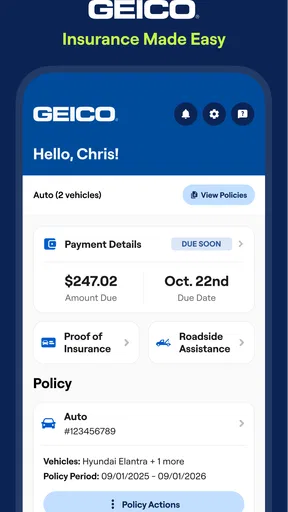
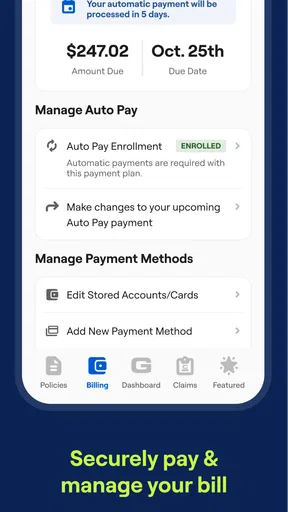
One thing I particularly appreciate is the dashboard. As soon as you log in, you’re greeted with all the relevant information you might need at a glance. Your current policy details, billing info, and even coverage options are all right there. No more digging through menus to find out when your next payment is due!
Features Galore
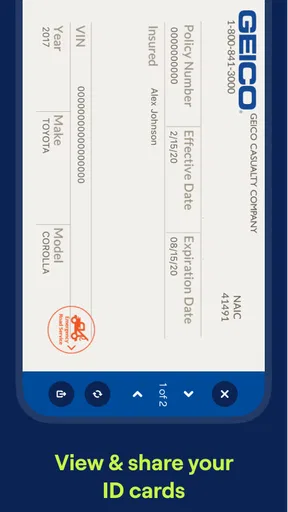
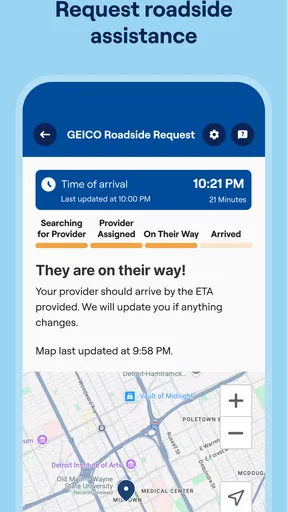
Now, let’s talk about the features. This app is packed with tools that make managing your insurance a breeze. Need to pay your bill? Done in a few taps. Want to access your digital ID card? Right there at your fingertips. They’ve even included a feature where you can request roadside assistance directly through the app. No more scrambling for phone numbers when you’re stuck on the side of the road.
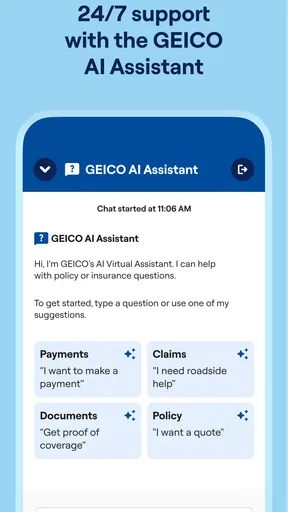
But wait, there’s more! The app includes a virtual assistant named Kate, who can help answer any questions you might have about your policy. It’s like having a personal insurance expert in your pocket, ready to assist you 24/7.
Claims Made Simple
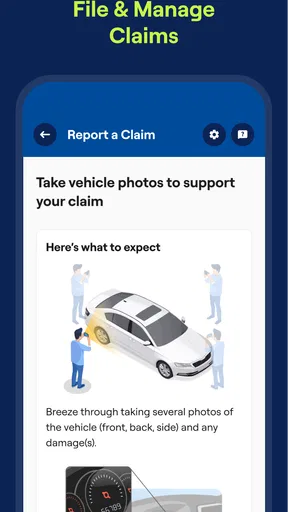
Filing a claim is one of those tasks that nobody looks forward to, but GEICO Mobile makes it as painless as possible. You can start a claim right from the app, and track its progress in real-time. The app keeps you updated every step of the way, so you’re never left wondering what’s happening with your claim. This transparency is a breath of fresh air in the world of insurance.
Security and Privacy
Let’s face it, when you’re dealing with sensitive information like insurance details, security is key. The app uses state-of-the-art encryption to ensure your data is safe and sound. Plus, logging in is secured with biometric options like fingerprint and facial recognition, so you can rest easy knowing your information is protected.
Worth Reading Before You Choose

Flipboard Shows What News Apps Must Do Beyond the Feed

Switching to Android Auto Means Rethinking Your Driving Routine

Google Calendar Makes a Crowded Week Easier to Manage

Ludo King Makes the Most of the Minutes Between Plans

Baby Panda World Brings Quick Play to Modern Phones, but Its Game Library Feels Busy

ESPN’s Live Game View Makes Following Close Games Easier
Additional Perks
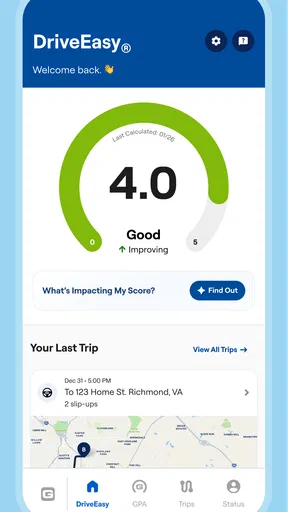
One of the coolest features of the app is the DriveEasy program. It’s designed to encourage safe driving by monitoring your habits behind the wheel. Not only does this help you become a safer driver, but it can also lead to discounts on your policy. It’s a win-win!
The app also offers a variety of discount options and tools to help you find ways to save on your policy. I found the Savings Calculator particularly useful for exploring different coverage options and seeing how they affect my premium.
First-Week Appeal, Month-to-Month Value
The early appeal is easy to understand: policy information, billing, a digital ID card, and claim access are gathered in one place. That convenience matters most when something is time-sensitive. For example, if I’m asked to show proof of insurance while away from home, having the card available in the app is more useful than hoping I remembered a paper copy. The first week is also a good time to check that the information I rely on is easy to locate before I need it in a stressful situation.
After the novelty wears off, the strongest reason to keep using it is routine maintenance. A quick visit before a payment is due can answer a practical question without requiring a call, while returning to the policy details when considering coverage helps make insurance feel less like a once-a-year mystery. I would not expect an insurance app to become part of my daily entertainment; its value is that it can be useful in short, occasional moments and then stay out of the way.
For someone who already has a GEICO policy, that recurring usefulness is a better measure than how many times they open the app. The app is most compelling when it replaces small chores—finding an ID card, checking a bill, or getting oriented on a claim—with a clear mobile workflow. If you rarely need those tasks, it may sit untouched for long stretches, and that is not necessarily a failure. Insurance tools are often most valuable precisely when they make a stressful moment simpler.
Everyday Workflows and Useful Trade-Offs
A realistic use case is a minor collision in a parking lot. Once everyone is safe, I would use the claim option to begin documenting the issue and then check the claim’s progress later rather than repeatedly calling for updates. Having the process start on the phone can make the first step feel manageable, but it does not remove the need to give accurate details or follow the insurer’s instructions. I’d treat the app as a convenient front door to the claims process, not as a substitute for careful documentation or a promise about how quickly a claim will be settled.
Roadside assistance is another feature that earns its space through an occasional but high-pressure situation. I’d make sure I can sign in and find the request option before a breakdown, rather than learning the layout while stranded. It is also sensible to keep a separate backup plan, such as knowing how to contact assistance if the phone is out of battery or has no connection. The app reduces the scramble for contact information, but it cannot solve every roadside problem on its own.
There is a more considered workflow for coverage decisions, too. I’d use the Savings Calculator to explore how changing coverage options affects the premium, then pause before treating the cheapest result as the best choice. A lower cost can mean a different level of protection, so the useful question is not simply “How much can I save?” but “Would I still be comfortable with this coverage if I had to make a claim?” The calculator can help frame that conversation; it does not make the personal trade-off for you.
DriveEasy asks for a different kind of consideration because it involves monitoring driving habits. Someone who is comfortable with that exchange may appreciate a program designed around driving behavior and the possibility of policy discounts. Someone who values keeping driving data separate from insurance, or who dislikes being monitored, may reasonably decide that the potential benefit is not worth the trade-off. I would read the program’s terms and decide deliberately rather than opting in simply because it appears among the app’s perks.
Who Will Get the Most From It
I think this is a natural fit for GEICO customers who prefer handling routine insurance tasks on a phone and want their policy information close at hand. It is particularly useful for drivers who travel with their car, share driving responsibilities, or want a digital ID card rather than relying only on paperwork. The option to start and follow a claim can also be reassuring for people who would rather use a guided mobile process than search for the right phone number when they are already dealing with an incident.
It is less persuasive for someone who is not insured through GEICO and only wants a general-purpose place to compare policies. This is an insurer’s account-management app, not an independent marketplace that brings competing companies together. If your main goal is to compare prices and coverage across several insurers, a comparison service or direct conversations with multiple providers will suit that task better. Likewise, drivers who prefer to handle everything with a person may find the app convenient as a backup, but not a replacement for the support style they want.
Compared with a paper folder and phone calls, the app puts common account tasks within easier reach. Compared with a broad insurance comparison tool, it is narrower by design: it focuses on managing a GEICO relationship rather than shopping the whole market. That distinction is important. Its usefulness depends less on having every possible insurance function and more on whether the tasks it does bring together match the way you already manage your policy.
Maintenance, Fatigue, and Practical Limits
The maintenance burden seems modest if you use it for occasional checks, but an app is only helpful when your login works and your account details are current. I’d sign in once when things are calm, confirm I can reach the policy and ID card, and avoid waiting until an emergency to discover that I need to reset access. That small bit of preparation is more valuable than repeatedly opening the app out of habit.
There can also be friction in the difference between a quick digital task and a complex insurance question. Paying a bill or locating an ID card is straightforward; interpreting coverage or deciding how to describe a claim may require more thought and, at times, direct assistance. Kate can help answer policy questions, but I would still check important decisions against the actual policy details and ask for human clarification when the consequences are significant. A virtual assistant is handy for getting oriented, not a reason to guess at coverage.
One possible source of fatigue is simply having another account-based app to maintain. If you insure through several companies, each may have its own app and login, so the convenience of a tidy GEICO dashboard does not create one unified view of all your insurance. I’d keep the app if its specific tools save me effort; I would not keep opening it just because it offers discounts or driving feedback. Those options are worthwhile only when their terms and trade-offs fit your preferences.
On the store, the app is free and intended for everyone. It comes from GEICO Insurance, has been available since August 10, 2010, and its current version is 5.104.0, with iOS 9 as the minimum operating-system requirement. Its average is 4.5 from around 511,000 ratings, and it has more than 10 million installs. Those figures suggest broad use, but they cannot tell me whether the app will suit an individual’s account, device, or preferred way of dealing with insurance.
Long-Term Verdict
My long-term view is that this app earns its place when it replaces small bits of insurance friction without asking for constant attention. I’d keep it installed if I had a GEICO policy and used its ID card, billing, roadside, or claims tools, while reviewing optional programs such as DriveEasy on their own merits. It is not a reason by itself to choose an insurer, and it cannot turn a complicated claim or coverage decision into a guaranteed one-tap answer. But for routine account access and occasional moments when speed matters, I can see it remaining useful after the first-week novelty fades.
Final Thoughts
In conclusion, the GEICO Mobile - Car Insurance app is a must-have for anyone looking to streamline their insurance experience. With its user-friendly design, robust features, and commitment to security, it’s clear that GEICO has put a lot of thought into making this app as helpful as possible. Whether you’re paying bills, filing claims, or just checking your coverage, this app has you covered. If you haven’t already, give it a try—you might just find yourself enjoying the process of managing your car insurance!
Pros
- User-friendly interface enhances navigation.
- Quick access to ID cards and documents.
- Convenient roadside assistance feature.
- Customizable push notifications for updates.
- Easy claims tracking and submission.
Cons
- Limited features for non-policy holders.
- Occasional app crashes reported.
- Some features require stable internet.
- Inadequate support for older devices.
- Not all discounts visible in the app.
FAQs for GEICO Mobile - Car Insurance
What features does the GEICO Mobile app offer?
The GEICO Mobile app provides a range of features designed to make managing your car insurance easy and convenient. Users can access digital ID cards, pay bills, and file claims directly through the app. Additional features include roadside assistance, direct communication with agents, and policy management tools. The app is designed to streamline your insurance needs with user-friendly navigation.
Is the GEICO Mobile app secure for handling my personal information?
Yes, the GEICO Mobile app prioritizes the security of your personal information. It employs encryption and advanced security measures to protect data. GEICO follows industry standards to ensure your information is safe, whether you're updating your policy or making payments. Users can also set up biometrics, such as fingerprint or face recognition, for an extra layer of security.
How can I file a claim using the GEICO Mobile app?
Filing a claim with the GEICO Mobile app is straightforward. You can start by selecting 'File a Claim' from the app's home screen. The app will guide you through the process, allowing you to upload photos and details of the incident. A claims representative will then contact you to assist further. This feature is designed to make claims processing seamless and efficient.
Does the GEICO Mobile app offer any discounts or special features?
The GEICO Mobile app provides access to potential discounts and special features. Users can enjoy the "DriveEasy" program, which tracks driving habits to possibly earn discounts on premiums. Additionally, the app might offer notifications about exclusive deals or discounts based on your policy and driving history. It’s a handy tool for saving money while maintaining coverage.
Can I manage multiple policies with the GEICO Mobile app?
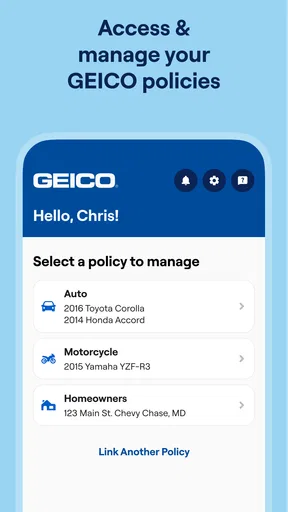
Yes, the GEICO Mobile app allows you to manage multiple policies conveniently. Whether you have auto, home, or other types of insurance with GEICO, you can view and manage them all from the app. This includes checking policy details, making payments, and updating information. It's an all-in-one solution for users with various insurance needs.


